

Poggy Badge Props
A RedM badge props pack: 37 badge models and five cloth armbands, made for Poggy Badges. Every badge is…
Price
$14.99
Searchable trash bins for RedM: 33 preset bins plus auto-detected world bins, random loot from one list you control, a cooldown per bin, and a shared stash in every bin. VORP Core, RSG Core and QBCore RedM.
 1 / 2
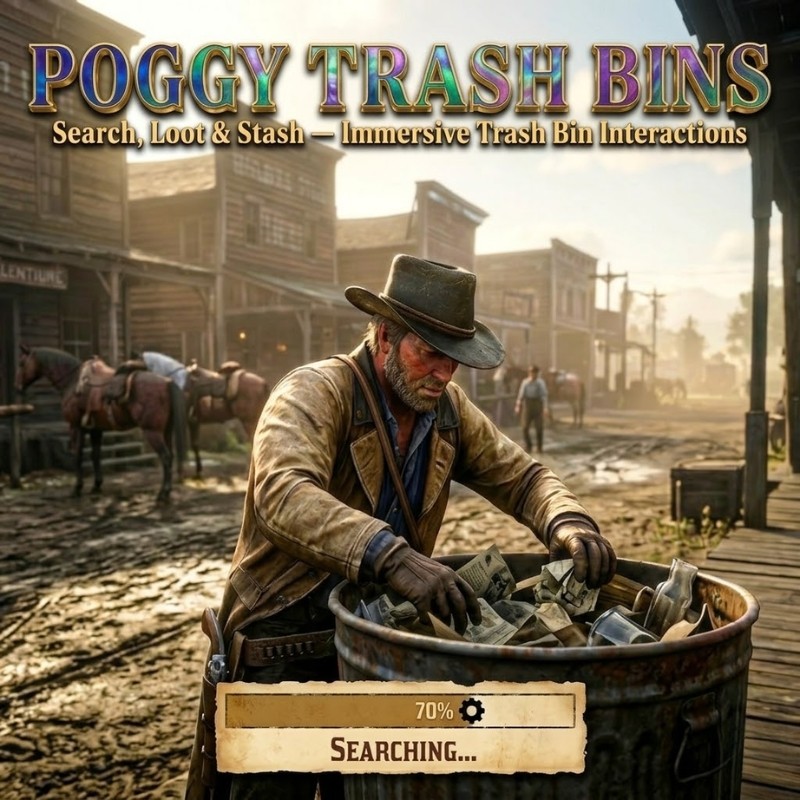
A RedM trash bin loot script: players search 33 ready-placed bins, and any bin already standing in the world, for random items, and every bin doubles as a small shared stash for dead drops. It runs on VORP Core, RSG Core and QBCore RedM through the free poggy_core.
/poggy, with help pages for adding bins and tuning loot.| Command | Who | What |
|---|---|---|
/emptytrash | Staff groups (superadmin, admin, moderator by default), and the server console | Empties every bin's storage and resets their search cooldowns. |
Config.CommonLoot: the shared loot list. Every item must exist in your items table.Config.WipeStorageOnScriptStart: on by default, so bins are emptied at every restart. Turn it off to keep what players leave in them.Config.AllowWeaponsInStorages: off by default. Bins are open to everyone.Config.RefillTimeMin / Config.RefillTimeMax: the cooldown after a search, in seconds.Config.MaxItemsPerSearch: the most different items one search can find (2).Config.AutoDetect and Config.AutoDetectModels: which world bin models count.stashitems table; poggy_core checks for it at start and prints the statement if it is missing.config.lua and translations.lua (every player-facing message). Escrowed: the client and server Lua.poggy_core checks for new versions, installs them and merges your config.lua and translations.lua: new settings arrive with their defaults and your values stay. Ideas for using bins in a treasure hunt are in the guide RedM server event ideas.
A search takes 5 to 10 seconds with an animation and progress bar. Each item in the loot list is rolled on its own chance, up to 2 items are kept per search by default, and the bin then stays empty for a random 30 minutes to 2 hours.
Yes. Every bin has its own storage, 20 slots by default, that any player can open. By default bins are emptied at every restart and cannot hold weapons; both are settings. Staff can empty every bin at once with /emptytrash.
No. 33 bins ship placed across Valentine, Annesburg, Strawberry, Blackwater, Saint Denis, Tumbleweed, Armadillo and more, and auto-detection makes the street bins already in the world searchable too.
Yes. Every bin uses the shared loot list unless you give it its own list, which you can do in game in /poggy under Locations.
config.lua and translations.lua are open. The client and server Lua is escrowed.
No. The script has no tables of its own; bin storage lives in your framework's inventory through poggy_core.
Poggy Trash Bins works with VORP Core, RSG Core and QBCore RedM through poggy_core, which detects the framework at runtime and has a proven adapter for each, so there is one build and nothing to configure. It requires poggy_core 0.28.0 or newer (free) and your framework (VORP Core, RSG Core or QBCore RedM).
Instantly. Checkout runs through Tebex, which asks you to sign in with your Cfx.re account before items can be added to the basket, and the licence is tied to that Cfx.re account rather than a key to paste.
Yes. It runs on Poggy, a live RedM server, and updates are included with every licence. Support is in the Poggy Discord.
From people who own Poggy Trash Bins, checked against our purchase records.
No reviews yet.
Own this script? Sign in with the Discord account you bought it with to leave a review.
Sign in with Discord
A RedM badge props pack: 37 badge models and five cloth armbands, made for Poggy Badges. Every badge is…

A RedM chess and checkers script for VORP Core, RSG Core and QBCore RedM: five tables ship placed in the…

A RedM hot air balloon script: operators at 8 stations fly players to any waypoint for a fare, or rent them a…