Guide · Updated 25 Oct 2026
RedM play as an animal: how players and staff change ped to an animal or NPC
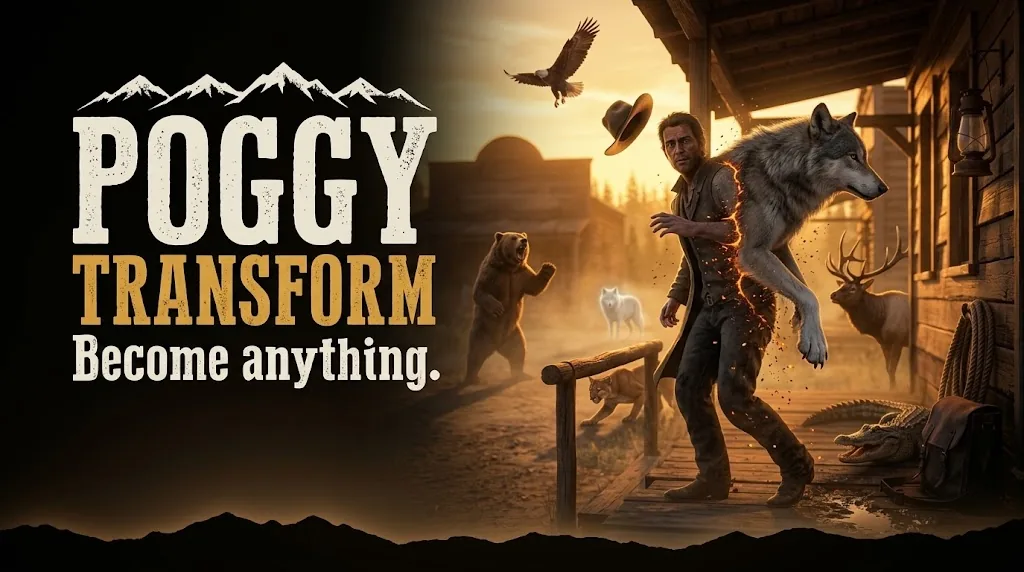
To play as an animal in RedM, a script has to swap your player ped for an animal ped model, give that animal a way to move, attack and act, and put your own character back afterwards. The base game and the frameworks do not do this for players on their own. A ped menu script does: Poggy Transform ($9.99) gives players a card menu of 90 animals and people, opened with /transform, with attacks for predators, emotes for wolves and dogs, and job locks for anything you do not want everyone to use.
What "change ped" means in RedM
Every character in RedM is a ped: a model such as A_C_Wolf for a wolf or cs_dutch for a story character. Changing ped means telling the game to draw you as a different model. The hard parts come after the swap:
- Animals need controls. A wolf ped has no gun. Without attack and emote keys, a player in animal form can only walk around.
- Attacks on players need checking. If one player's game says it bit another player, the server has to decide whether that is believable.
- The way back must be reliable. A player who cannot turn back files a ticket, so the menu that transforms must also return them.
- Someone decides who may use it. A grizzly bear in the middle of a town meeting is funny once.
Plenty of free admin menus can change a staff member's model by name, and that is enough if all you want is an occasional disguise. A player-facing ped menu is for when animals are part of the roleplay.
What players can become
Poggy Transform ships 90 transformations, sorted into six tabs in its card menu:
| Tab | How many | Examples |
|---|---|---|
| Predators | 12 | Wolf, grizzly bear, cougar, coyote, alligator, snake |
| Prey and wildlife | 22 | Buck, elk, bison, fox, husky, chicken |
| Birds | 9 | Eagle, owl, crow, vulture, bat |
| Aquatic and reptile | 3 | Snapping turtle, bullfrog, crab |
| Legendary | 12 | Legendary wolf, bear, moose, bison |
| People | 32 | Gang members from the story, sheriffs, guards, a bounty hunter, a vampire |
Legendary animals are drawn at up to one and a half times normal size. Each entry has a Size setting, where 1.0 is normal and 1.5 is half as big again. A card with no image shows a category icon, so a missing picture never looks broken.
Animal attacks and emotes
Animals that are set to attack get these controls:
- Left click: the basic attack.
- Pounce on the
INPUT_ENTERcontrol, for animals that have one. - Taunt on the
INPUT_RELOADcontrol: a growl, howl or roar. - Space: a jump attack, for animals that have one.
- R1 / RB: crouch.
Each move has its own damage, knockback, reach and cooldown in the config. The default wait between attacks is 2000 ms. The extra keys are changed in Config.AttackInputs.
Wolves and dogs also have emotes. Type /ae for a picker, or /ae howl to play one straight away. Wolves can howl, growl, sniff, sit, rest and sleep; dogs add bark, roll, shake and more. Looping emotes stop with /ae stop or Backspace, so nobody gets stuck asleep. If you want emotes for human characters, How to Add Emotes to a RedM Server covers that side, and RedM Animations explains the dictionaries behind them.
How attacks on players are kept fair
An animal that can kill is an obvious way to grief. Attacks on players are checked at both ends:
- The server will not pass on attacks faster than
Config.AttackMinInterval(300 ms by default). - The target will not accept a hit from further away than the animal's reach plus
Config.AttackRangeTolerance(2 metres by default). - The target must have PvP on.
If attacks miss on a laggy server, raise the range tolerance a little rather than the damage.
Who should be allowed to transform
Everything is unlocked by default, which suits a small server or a test. On a busy server, decide early. Each transformation can be locked to one job by putting the job's name in its entry:
job = "hunter", -- only the hunter job can become thisUse the job name your framework uses; it is not case-sensitive. Players without that job never see the card. Only one job fits each entry, so to offer the same animal to two jobs, add it twice with different ids.
A sensible start on a roleplay server:
- Leave harmless animals open: a cat, a chicken, a rabbit, a dog for someone who wants to play a stray.
- Lock predators that can attack behind a job, or leave them to staff.
- Keep the legendary animals for events.
Admins see every card, whatever the lock. Admin means the ACE poggy_transform.admin, or a character in the admin, superadmin or god group, which works with no setup. Granting the ACE is one line in server.cfg:
add_ace group.admin poggy_transform.admin allowWhat staff can do at events
This is where a ped menu earns its place. Staff turned into a pack of wolves circling a town at night, ending with a legendary bear the town has to bring down, is an evening players remember. RedM Server Event Ideas has more on planning and announcing that kind of night.
Admins get two extra tools in the same menu:
- Any ped model by name. If the 90 cards do not have it, type the model.
- A character browser to wear any character's exact face, body, clothing and colours. It is applied on the admin's own screen only. Nothing is written to the database, and the character being copied is not touched. If the clothing colours drift,
/rcpputs the look back on.
The limit to know: the character browser is VORP Core only, because only poggy_core's VORP adapter returns saved appearances today. On RSG Core and QBCore RedM the Players tab does not appear, and the console says so at start. Everything else works on all three frameworks. For the moderation side of staff tools, see RedM Admin Tools.
Adding your own transformations
Every card is one entry in Config.Animals, and every setting can also be changed in game with /poggy, under Transformations. The quickest way to add an animal that fights is to duplicate a similar one, which keeps its attacks and emotes, then change the id, name and ped model. Card art goes in ui/images/ as a PNG of about 300 by 200 or larger. The config, the card images and the menu's stylesheet are open, so you can add entries, add art and restyle the menu without touching anything encrypted.
If a transformation does nothing, the model name is usually wrong. Turn on Config.Debug and read the F8 console. An animal that will not attack needs attacking switched on and a basic attack animation set.
Installing it
Poggy Transform needs the free Poggy Core (Free) 0.27.0 or newer, started before it, and runs on VORP Core, RSG Core and QBCore RedM with no framework setting to change. oxmysql is needed only for the VORP character browser. Add ensure poggy_transform to server.cfg after poggy_core. A healthy start prints the framework it found, how many transformations loaded, and whether the character browser is on. Step by step: How to Install a RedM Script.